⚠ Stop notes:
First Pickup
· MODESTO, CA
— ***Pickup appt required ***LOAD REQUIRES 53' REEFER /SAFETY VEST/***THE TEMPERATURE MUST BE SET To 0 DEGREES***
+1 more
Unlocked
Lock this load before contacting carriers (15-minute hold).
1
Lock load
2
Call & log
3
Get rate approved
4
Book load
5
Capture capacity
Step 1Lock this load before calling carriers (15-minute hold).
Stop notes
First Pickup · MODESTO, CA
— ***Pickup appt required ***LOAD REQUIRES 53' REEFER /SAFETY VEST/***THE TEMPERATURE MUST BE SET To 0 DEGREES***
Last Drop · BOISE, ID
— APPOINTMENT @ 11:00PM
Other activity
No calls logged yet.
Loading carrier matches…
Log a call
Logging for:
MODESTO, CA
→
BOISE, ID
· LD-129583798
Load is unlocked. You can log this call as intel without claiming the load.
Submit a rate for approval
🚛 Log capacity for any carrier on this load
Manager view — log capacity for any carrier in the context of this load.
Use cases: a carrier called offering a truck at this lane's destination;
you found out at delivery a different carrier has open capacity here.
Activity
When
Action
By
Detail
06/0212:58
Status updated (TAI)
—
status=Committed
06/0212:56
Shipment created (TAI)
—
status=Committed
They passed — let's get more info
Capture this carrier's open trucks and preferred lanes while you're on the call.
👋 Welcome — quick tour for testers
You're testing CarrierCRM in dev mode. Two tools are available to help
you give feedback and review the app from any role.
1. Feedback widget
Find a bug, have an idea, or notice a confusing label? Use the
feedback button to file it. Your submission is attributed to you,
even if you're acting as a different role in the role switcher below.
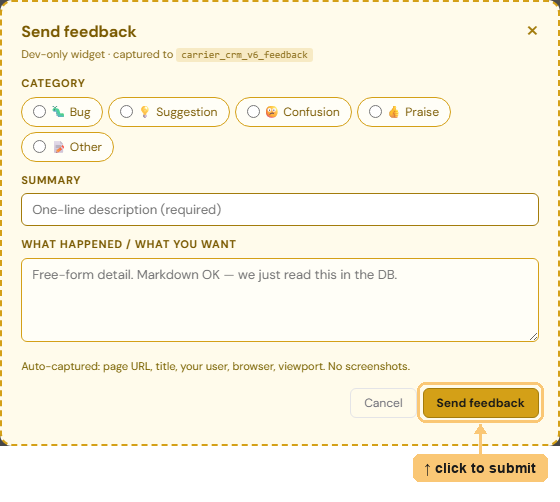
Screenshot pending — drop feedback-widget.png into static/v6/onboarding/ to populate this slot.
2. Test as Role (the bottom bar)
The dark bar at the bottom of every page lets you take on a teammate's
identity to see what their role would see. Pick a rep, manager, or admin
from the dropdown — the page reloads as that person. Feedback you file
while impersonating still records you as the submitter,
with a note about the role you were testing.

Screenshot pending — drop test-as-role.png into static/v6/onboarding/ to populate this slot.
🧪 Test as:
Signed in as Dev UseradminDEV_MODE only · feedback is attributed to the signed-in user
Send feedback
Dev-only widget · captured to carrier_crm_v6_feedback